A memorable profile link. A clear introduction.
Your name. Your business. Your next connection. Give your business profile a memorable @handle that takes people straight to your QRown profile.
Included on the Free plan. No credit card needed.

Maya Studio
Small-batch ceramics. Made with care.
qrown.me/@mayastudio
Illustrative business and handle
Easy to say. Easy to share.
A recognizable name gives people a simple way to find your profile after the conversation.
One link for the whole picture.
Bring people to your contact details, links, and content in one place.
A name that feels like you.
Use your name, studio, or business name to make your profile link part of your identity.
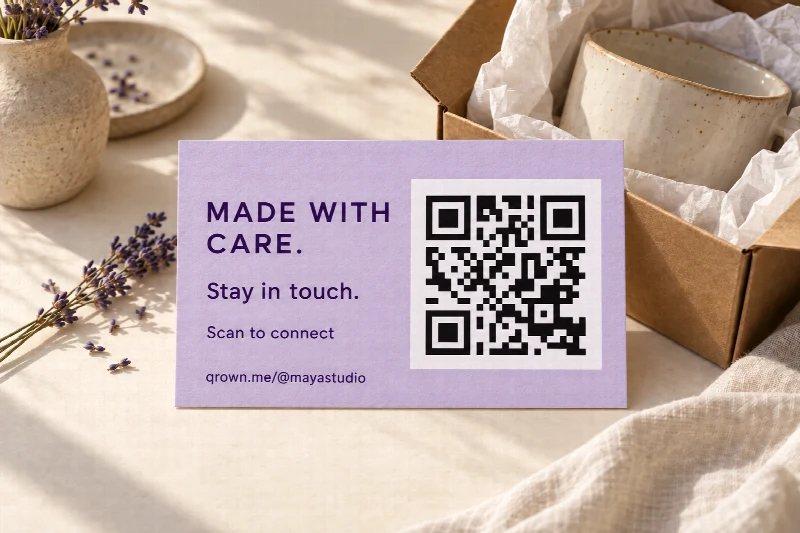
Online. On paper. In person.
Give every introduction
somewhere to go.
Add your profile link to a social bio or email signature. On packaging and thank-you cards, pair your handle with a QR code so people can scan to connect without typing. Wherever someone meets your work, make the next step easy.
- Social bios
- Email signatures
- Business cards
- Packaging
Make it yours
Your next connection starts here.
-
01
Choose your name
Create your account and pick an available handle. Keep it short, recognizable, and easy to spell.
-
02
Build your introduction
Add your photo, contact details, and links. Give visitors a reason to save your details or explore your work.
-
03
Put your link to work
Share your profile wherever you connect. Update the content behind your link as your work evolves.
A few useful details
Questions about Custom Handles
Start with a name you love. Here is what to know about choosing it and changing it later.
Compare plansIs a custom handle included for free?
Yes. Choose an available custom handle when you create your profile on the Free plan. Changing it later is available on Starter, Plus, and Business.
What can I use in my handle?
Use 3–30 characters, including at least one letter. Start and end with a letter or number. Single dots, hyphens, or underscores can go in between, but separators cannot sit next to each other. Handles are stored in lowercase and must be available; reserved and protected names cannot be claimed.
Can I change my handle later?
Yes, on Starter, Plus, and Business. You can change it once every 30 days. Choose carefully and update the places where you share your profile link.
What happens to my old profile link?
On Starter, Plus, and Business, previous handle links can redirect to your current profile while that feature is included in your plan. Free does not include old-handle redirects, so share your current link.
Your name looks good here
Make your next introduction a link.
Build your QRown profile, choose your @handle, and give people a place to connect with you.
Create your free profileFree to start. No credit card needed.