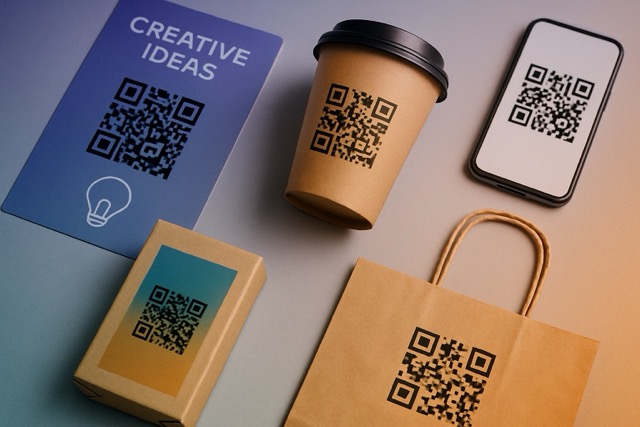
A flyer can earn someone's attention and still leave them unsure what to do next. A QR code gives that moment a route to a useful page, enquiry or service. Its value comes from the invitation and the destination, not from the square itself.
Start with one business objective: help someone choose a service, request information, find instructions or contact you again. Then choose a physical placement where that action makes sense.
Five QR marketing ideas with a clear job
A service flyer that leads to an enquiry
A landscaper could show one relevant project and add “Scan to ask about your garden.” The profile should explain the service area, show suitable work and offer a contact route. A lead form can capture an enquiry; adding a QR does not automatically supply the visitor's details.
A counter card that makes a return visit easier
A salon or repair shop can offer “Save our contact for next time.” Send people to a profile with contact details, hours where available and a link to the booking service. The useful outcome is an easier return path after the current transaction.
A trade-show handout that connects a demonstration to follow-up
Link to relevant product information and a way to ask a question. Name the action after the visitor's need, such as “Request product details.” Put the same information promised in the demonstration near the top of the destination.
A package insert that answers a customer's next question
A maker can provide “Scan for care and reordering.” Lead with instructions or a link to them, then offer support and the existing shop. See the packaging guide for print testing and long-term usefulness.
A storefront sign that keeps an after-hours visit useful
Offer hours, services and a route to enquire or book through your scheduler. Make the page useful to someone standing outside. The storefront QR guide covers that specific workflow.
A review invitation customers can take away
After a purchase or completed service, offer a clear link to your Google review page. Keep the invitation optional and open to honest feedback. The Google review request guide covers neutral wording, review links and a repeatable handoff.
Design the destination before the print
QRown profiles combine text, contact options and links, with other block types available by plan. Build the page around the printed promise. A generic collection of social links is unlikely to be the right destination for “Ask for a repair estimate.”
Use a lead form when someone needs to leave an enquiry, or link to a service you already use for bookings, ordering or newsletter signup. Those external services complete their own workflows. Scanning a QR does not enroll someone on a mailing list, award loyalty points or send a coupon automatically.
The main QR opens your QRown profile. Additional QR codes can have editable external destinations; available code counts depend on plan. If you send people away from QRown, evaluate the destination's activity in the tools used by that site.
Run a small experiment you can interpret
- Choose one offer: Write down the action you want and what makes it useful to the customer.
- Choose a placement: Test a real situation where someone has time and a reason to scan.
- Name the source: Use a separate QR identity for each placement you want to compare.
- Test a proof: Check readability, the public page and the full action on a phone.
- Keep campaign notes: Record dates, quantities, costs and changes alongside the results.
Write the comparison down before launch
A shop might put the same invitation in its window and on flyers for a local market. Give each placement a separate QR code and keep the page and invitation consistent. The note below is a sample campaign worksheet you maintain yourself, not a QRown report.
| Record | Front window | Market flyer |
|---|---|---|
| Review period | October 2–8 | October 2–8 |
| Distribution | One sign; passersby not counted | 200 handouts distributed |
| Invitation | Scan to explore our services | Scan to explore our services |
| Destination | The same service profile | The same service profile |
These are different audiences and opportunities to see the invitation, so this is an observational comparison, not a controlled test. Record print and distribution costs separately if cost will influence your next decision.

In this example, the window recorded twice as many scans as the flyer. That does not establish twice the response rate: you do not know how many people saw the window, and repeat requests can appear in either total. Sixty scans from 200 handouts also does not prove that 30% of recipients responded.
Use the results to change one thing
If there are few scans, examine the sign, placement and offer. If the profile gets visits but the main action is rarely used, check whether the destination delivers what the print promised. If enquiries arrive, assess whether they are relevant and whether you respond effectively.
A successful test may reveal that an idea needs a clearer invitation, a better placement or no further investment. Avoid attributing sales to a code based only on scans. The tracking guide explains sources, engagement and their limits.
In QRown Statistics, review the source and action detail your plan includes. Keep enquiries, contact-card downloads and payment clicks separate from confirmed bookings or sales. Confirm those outcomes in the system that actually completes them; do not divide a profile-wide lead total by one code's scans and call it that code's conversion rate.
Keep older materials useful
Update the profile when information changes, but remember the words already in circulation. A package offering instructions should still lead to those instructions after a promotion ends. Maintain a useful destination instead of replacing it with an unrelated offer.