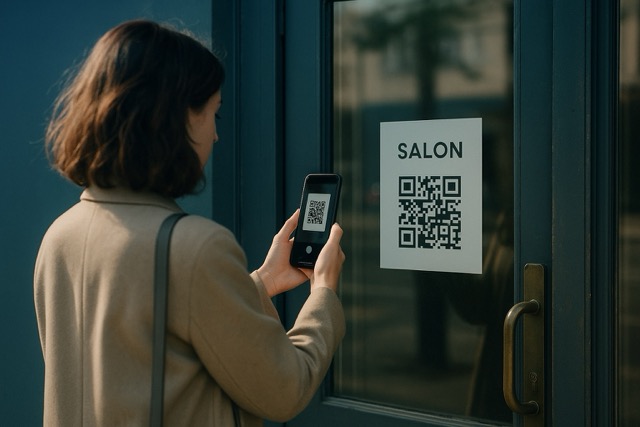
Someone arrives at your business after closing, or pauses outside because they want to know what you offer. A locked door should not be the end of that interest. A storefront QR code can point them to hours, services and a useful next step.
The sign needs a clear promise: “Scan for hours and appointments” is more useful than a QR code on its own. The page behind it should fulfill that promise without making the visitor hunt.
Build the page around the person outside
A visitor at the door has different needs from someone browsing your full website. Start with the information that helps them decide what to do now:
- When to return: Your current opening hours and any clearly written exceptions.
- What is available: A short service description or a link to your current menu.
- How to take the next step: Your phone, an enquiry form or a link to your existing appointment service.
- How to find you again: Your location and a contact they can save.
In QRown, availability, location, text, contact and link blocks can provide this information. These options have plan-dependent access and limits. A booking link takes the visitor to your scheduler; QRown is not the appointment-booking system.
Three useful storefront setups
A salon after closing
Put tomorrow's hours, the service list and “Choose an appointment” near the top. Link the appointment action to the salon's booking provider. Use a lead form for questions that need a personal response, and explain when someone will answer.
A café before a first visit
Lead with hours and a clearly labeled menu link. Keep the page useful to someone deciding whether to come back with a friend. If you add online ordering, link to the service where the order is actually placed.
A repair or installation business
Explain your service area in plain language and give a phone or enquiry route. Set expectations about response times. A form that can be submitted at night does not mean staff are available around the clock.
Use Paragraph for notices and visitor questions
Add a Paragraph text block titled “Before you visit” or “Shop updates” for a temporary entrance change, collection instructions, or a new-service announcement. Include the relevant dates and keep important notices visible instead of placing them behind Read more.
A few basic FAQs can share that section: “Do I need an appointment?”, “Where do I collect my order?”, or “Which entrance should I use?” Write each question and its answer on separate lines, with blank lines between pairs. Free includes one text section, so combine related information there. See the Paragraph notice examples for copyable wording and screenshots.
Keep the printed sign and live information aligned
QRown's main profile QR opens the profile you maintain. Update the page when hours, services or links change, and the same printed code can still reach it. Keep date-sensitive offers on the page when practical, rather than permanently printing them beside the code.
Leave the most essential information readable on the door too. Someone without a working camera or internet connection should still be able to find your hours or contact number.
Make holiday hours clear before someone travels
Your weekly hours do not tell customers when you close for a holiday or finish early. Add a notice with the exact dates, changed hours and reopening time. Place it near your hours so customers can check before they travel.
A sample shop notice might say: “December 24, 2026: open 9am–1pm. December 25: closed. We reopen on December 26 at 10am. We will reply to messages after we reopen.” Use your own dates and say when you expect to reply. Make clear that all times are local to the shop.
- Keep your usual weekly hours: In QRown's Availability editor, check the time zone. Use Holidays & closures to add dates with different hours. For each date, mark the shop as closed or enter its opening and closing times. This keeps a one-day change separate from your normal week.
- Check before repeating a date: A yearly repeat uses the same month and day each year. Use it only if the date and hours will stay the same. For holidays that fall on a different date each year, add the new date yourself. Review saved repeats before each holiday season.
- Check what your plan includes: Paid plans let you add holiday dates. On Free, use the availability note or a text block to write a notice with dates. This note does not change your saved weekly hours or the automatic open/closed status. A notice alone will not make that status show “Closed” on a holiday. Check current plan limits before adding holiday dates.
- Update the other places customers check: Match the door notice, website, booking service and business listings to the same dates. QRown does not update those services for you. Follow Google's Special hours instructions for short-term changes. Google also advises you to confirm your hours for official holidays, even if they stay the same.
- Check what visitors see: Sign out and open the profile, then test the QR code on your door. Check that the dates, hours, open/closed status and reopening message agree. Remove the holiday notice after you reopen.
If visitors can send messages while you are closed, say when you expect to reply. If you take bookings, check the open slots in your booking service too. The booking-service guide explains how to link it to your profile.
Test where a customer will actually stand
- Place a draft sign where it is easy to approach without blocking the doorway.
- Use a dark code on a light background, with clear empty space around it.
- Test through the actual glass, at the intended distance and under daytime and evening lighting.
- Check the public profile and its main action on more than one phone.
- Inspect the finished sign for glare, damage or anything covering the code.
There is no single size that guarantees a scan across every window, finish and distance. Prove that your printed version works before ordering more. Ask your printer about materials suitable for the exposure and mounting surface.
Track the door separately from your flyers
A different label on the print does not create a separate reporting source. If the window and a takeaway flyer use the same QR image, their scans contribute to the same code's total. Use separate code identities when you need to compare those placements; QRown's additional-code allowances vary by plan.
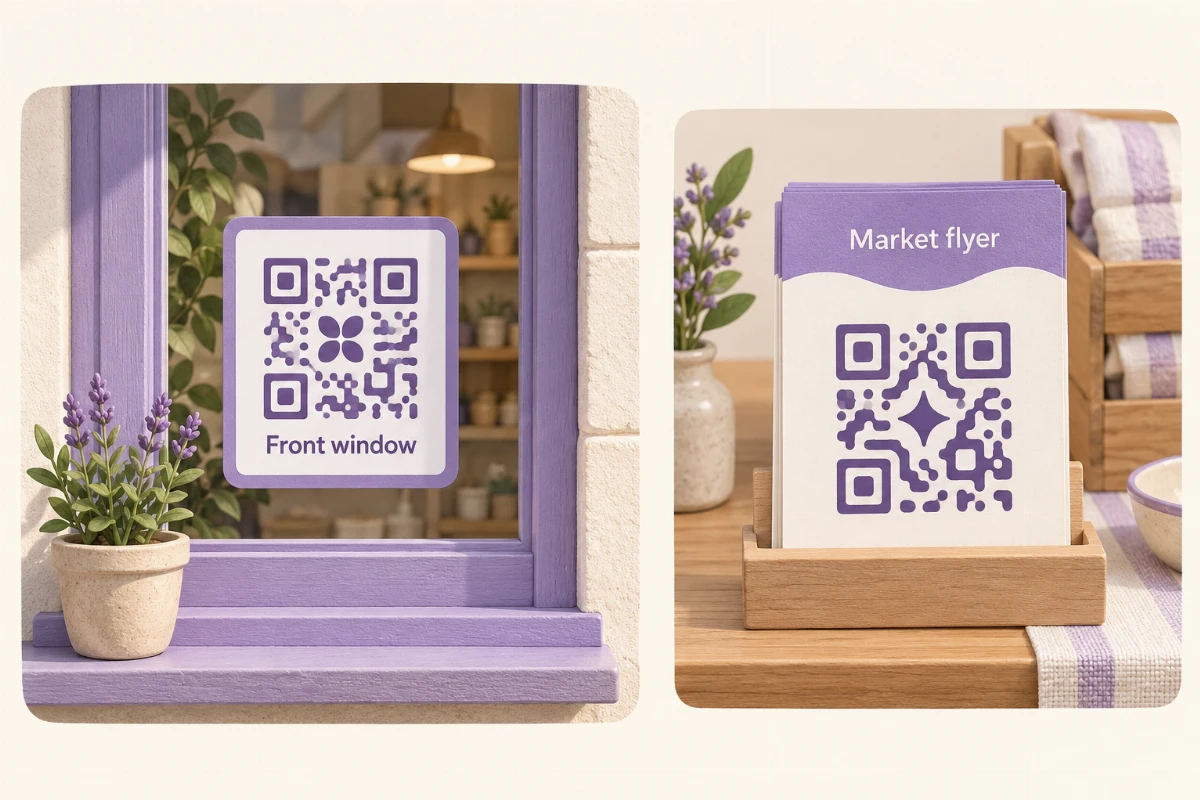
- Name the placements: Keep a “Front window” code on the sign and a “Market flyer” code on the handouts. Both can lead to the same profile.
- Record the conditions: Note when the sign went up, how many flyers you handed out and any changes to the invitation or destination. Keep these notes separately from Statistics.
- Compare one period: Use the same dates and reporting time zone in Statistics. Source detail depends on the reporting access included in your plan.
A code name describes your intended placement, not a verified physical location. Someone can photograph the sign or share its link. A door scan therefore does not prove the person stood outside, and a higher count does not show which placement reached more people.
Use the result to improve the next visit
Few scans are a reason to recheck glare, visibility and the promise on the sign. If the profile gets visits but few relevant actions, check that hours, the menu or the enquiry route are easy to find. Compare similar periods and change one thing at a time; foot traffic and opening hours can affect the result.
Confirm completed appointments in your booking provider. Read the scan-tracking guide for a first reporting check, or explore QRown Statistics to see which views support that review.
For other physical placements, see practical QR marketing ideas.