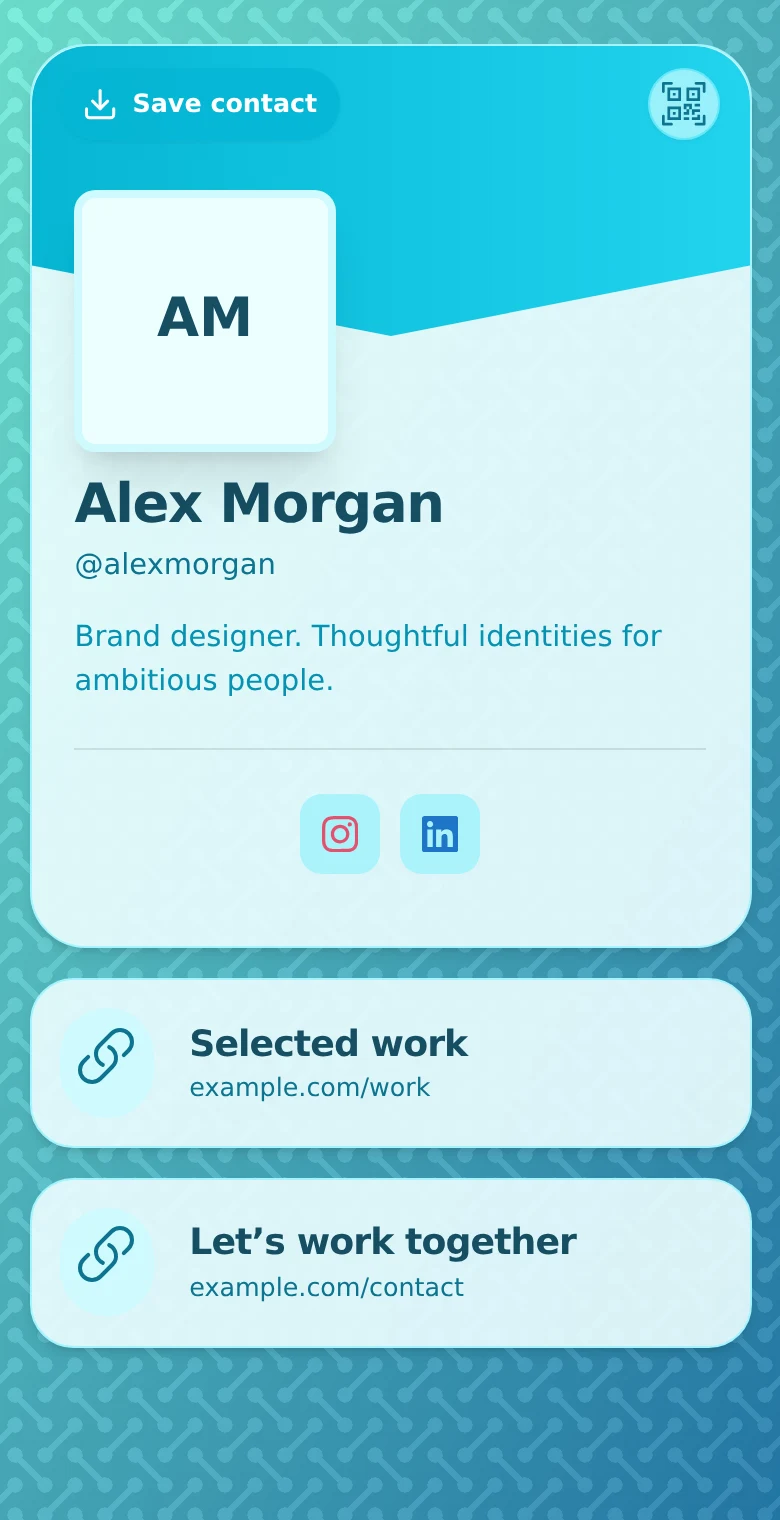
A potential client sees your work and likes it. Then they have to search for your services, decide whether you handle their kind of project, and work out how to ask. A good freelancer profile makes that path shorter.
Treat the profile as the front page of a conversation. It should help the right client recognize a fit, see evidence and send a useful enquiry. Your full portfolio can remain on the site where you already maintain it.
Choose a simple portfolio format
If you are moving beyond word-of-mouth referrals, start with a short introduction, a few relevant samples and a contact action. Choose the format that suits how you approach clients and how often your work changes.
| Format | A useful starting point when | What to maintain |
|---|---|---|
| PDF portfolio | You want to send a tailored selection with a particular pitch. | Keep text readable on a phone and links clickable. A copy already sent will not update when you revise the original. |
| Profile linking to samples | You want one shareable introduction and your work already lives elsewhere. | Explain each destination and check its access permissions. The linked pages or files need their own hosting. |
| Portfolio website | You need fuller case studies, separate service pages or a larger body of work. | Keep navigation, sample pages and contact details current. Check the host's features and costs before committing to a setup. |
These can work together: a profile can link to a full portfolio, while a proposal includes a tailored PDF. Avoid copying every sample into every format. For a no-frills start, choose one place to maintain the work and one clear route to it. Clippings.me's writing portfolio guide offers further advice on selecting and presenting writing samples.
Describe the work you want enquiries about
“Designer” leaves the visitor with questions. “Brand identity for independent food businesses” tells them more about the service and audience. Use a short description in your own words, then point to a relevant piece of work.
Explain the scope you can discuss without promising an outcome you cannot control. A copywriter could say “Website copy for service businesses,” followed by a link to a project and an invitation to share a brief.
Show proof that helps someone decide
Choose a small set of examples relevant to the work you want next. Explain the client's problem, what you contributed and any outcome you can substantiate. If a result was not measured, describe what changed rather than inventing a percentage.
In QRown, text and link blocks can connect the introduction to fuller project pages. Free includes one text block and one link block, so a practical setup is a short introduction with a link to your portfolio. Free also includes a gallery for work that benefits from images. Paid plans include more links and more gallery capacity. See the current plan allowances before planning a larger layout.
Use an external host for a PDF and link to its viewing page; QRown's link block does not upload or store the document. Keep permission to display client work in mind and avoid making the visitor scroll through everything you have ever made.
- A photographer: A relevant shoot, the kind of assignment offered and an enquiry link.
- A consultant: A short problem statement, a case-study link and a way to discuss a similar need.
- A maker: An example commission, an explanation of the process and a route to ask about a project.
A simple freelance writing sample
This fictional example shows how a writer could connect an introduction to one relevant piece. It is a layout to adapt, not a client project or a claim of results:
- Service introduction: “I write service pages and practical guides for independent home-service businesses.”
- Sample label: “Boiler-servicing explainer — self-initiated writing sample.”
- Project context: “Written for homeowners arranging their first service visit. I planned the outline and wrote the copy to explain what to expect and what to ask.”
- Read the work: Link to the full sample, with a descriptive label such as “Read the explainer (PDF)” if it opens a PDF.
- Contact action: “Tell me which service page you need, who it is for and your target date.”
On a QRown Free profile, keep the introduction and short context in the text block, use the link block for the sample or a page collecting your samples, and offer a separate email contact. If the work was a team effort, name your contribution. Label practice pieces as self-initiated; do not present them as commissioned client work. Share only samples you have permission to show.
Check that a prospective client can read the work
- Open your profile and each sample signed out, including on a phone. Check for access requests, paywalls, missing pages and text that is too small to read.
- For a shared document, grant viewing access rather than editing access. Only make a sample broadly accessible when it is intended for public sharing; keep restricted work out of public portfolio links.
- Test the contact action and check that a recipient can identify you from the sample itself. A PDF may be forwarded without the message that introduced it.
- Recheck external samples periodically and after a client site changes. Replace broken links with an authorized copy or another relevant sample.
If you use Google Drive, its file-sharing instructions distinguish restricted access from access for anyone with the link and explain viewer permissions. Copying a URL alone does not resolve the file's access restrictions.
A shareable portfolio also does not guarantee a result when someone searches your name. The search-indexing guide explains the difference between an accessible page and one that appears in search.
Ask for the information you will actually use
For a simple conversation, email may be enough. If you repeatedly need the same context, add a QRown lead form and choose the fields available on your plan. Name the action for the work, such as “Ask about your project.”
Tell visitors what to send and what happens next. For example: “Describe what you need and when you hope to start. I will reply to discuss the scope.” Set a response expectation you can maintain. If you prefer scheduled calls, link to the external booking service you use.
Lead fields and visible-submission limits vary by plan. Review those limits before running a campaign. An enquiry form is a way to start a discussion, not an automatic quote or a promise that the project is accepted.
Carry the context into your follow-up
QRown's Leads Inbox holds submitted enquiries. Where context is recorded, Lead Story can show the associated source and session activity. It may help you understand what a prospect looked at before submitting, but their written brief remains the better source for what they need.
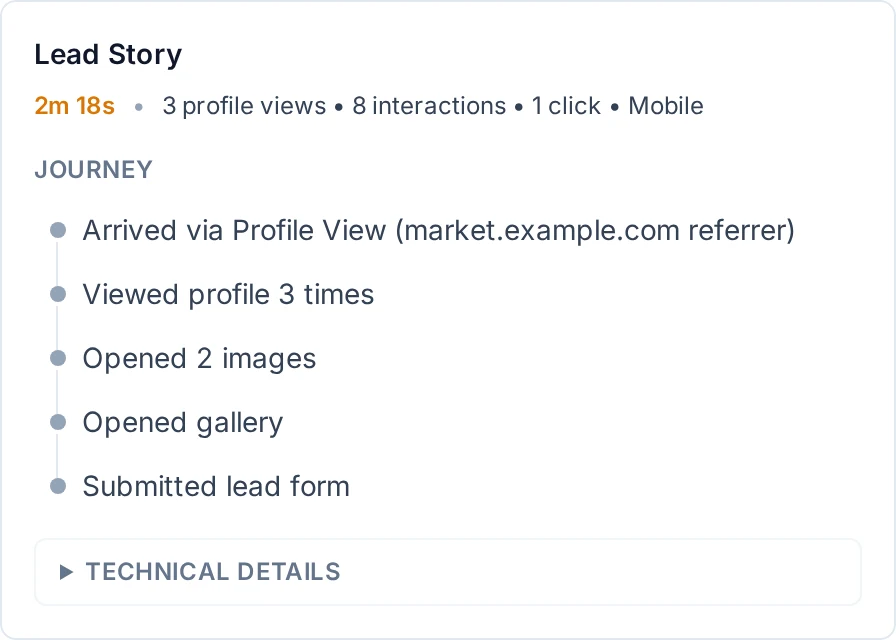
Add notes as the conversation develops and maintain the lead status. Where email replies are available, the action opens your email app; you send the response and update the status yourself.
Share the profile where interest already exists
Put its link in a proposal, email signature or relevant social bio. Use the QR beside physical work or during an event conversation. Explain what someone will find: “Recent work and project enquiries” is more useful than “Scan me.”
Keep the destination recognizable with a consistent name, image and appearance. The personal-branding guide covers ways to carry that identity across different placements.
Improve for fit, not just traffic
Review which links receive recorded activity in Statistics, then compare that with the enquiries you receive. If many visitors view a portfolio but the enquiries are outside your scope, clarify the service description. If suitable prospects contact you but often lack key information, improve the invitation to submit a brief.
More scans alone do not prove that a portfolio, price or offer is working. Judge the profile by whether it helps suitable clients understand your work and begin a useful conversation.
Need help assembling the page? Follow the first-profile setup guide.