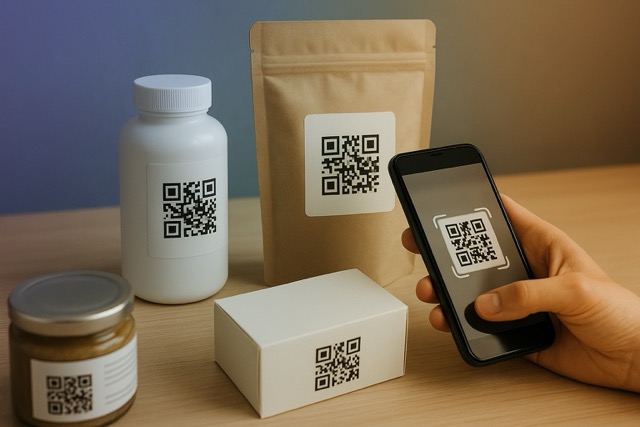
Use a QR code on product packaging to open the instructions, care advice or support a customer needs. Choose the destination first, give the code a clear place on the label or insert, and test the finished package before printing the full run.
Use the code to support the product experience. “Scan for setup instructions” tells a buyer what they will gain. An unexplained code that opens a general homepage leaves them with another search.
What should a packaging QR code open?
- Help with first use: Link to setup steps, a demonstration or an explanation of the product.
- Care and maintenance: Make the relevant instructions easy to find after unboxing.
- Support: Provide a clear contact route for questions.
- Reordering: Link to the existing shop page for the product or its replacement parts.
- Product background: Explain the making process when that adds something the customer values.
Pick a primary reason and keep it first on the page. A reorder offer should not get in the way of the instructions a new buyer needs.
Map the customer path before adding the code
As a hypothetical example, consider a small ceramics studio shipping a handmade mug. Its insert says “Care for your mug.” The QR opens a profile with a short introduction, a clearly labeled care-guide link, a support email and a link to the studio's shop.
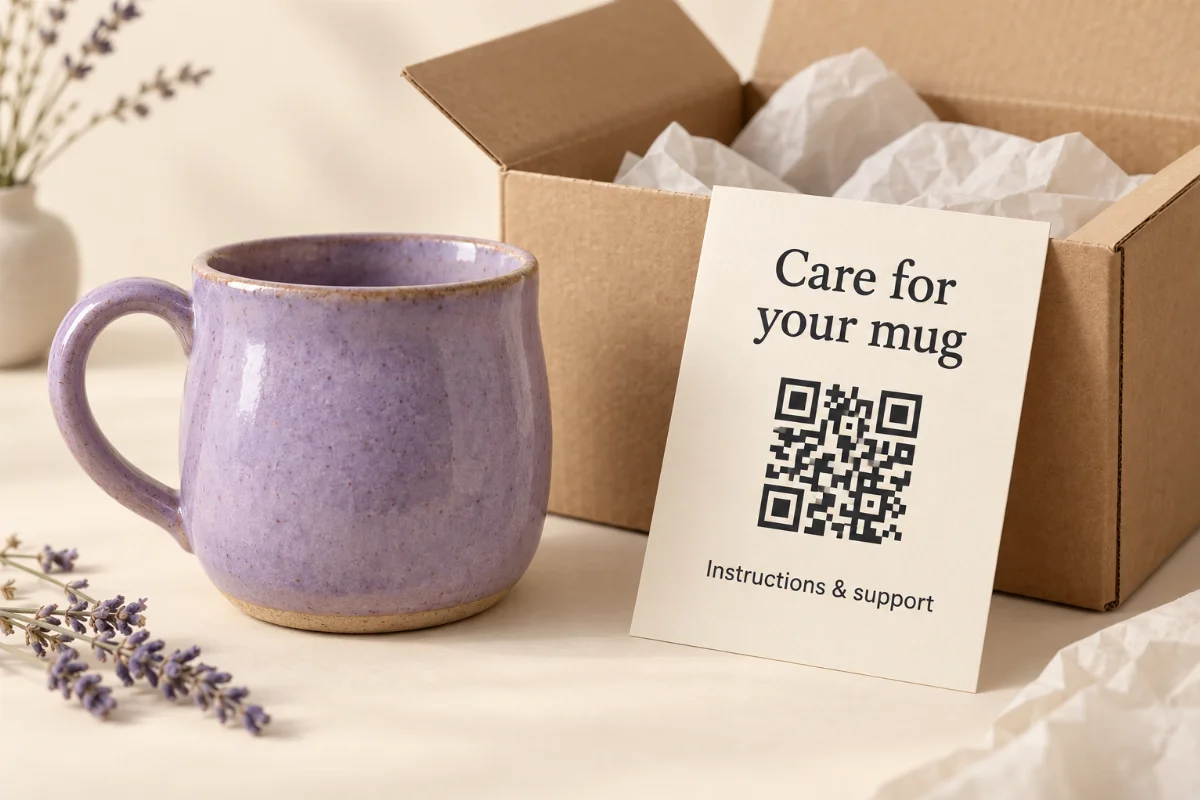
A QRown profile can hold text, contact actions and links to your existing guides, videos and shop. Gallery and other block options depend on your plan. Keep required or essential information on the product or packaging where it belongs; a web link is an additional route, not a substitute for every printed instruction.
Choose a label, box panel or insert
Use the outside of the package when the information is useful before opening, such as product details or setup requirements. Choose a flat area that stays visible after wrapping and assembly. A label applied across a seam can distort even when the label file looks correct.
Use an insert for help after unboxing, such as the mug's care guide. An insert offers a flat surface when the container is narrow or curved, but a buyer may discard it. Include the product name or version and a readable way to find the guide again. Neither option removes the need to test the finished piece.
Choose a static or dynamic destination
A static QR stores the destination directly; replacing that URL requires a new printed code unless you control a redirect at the original address. A dynamic QR uses a managed redirect. Keep that service and the destination active for as long as customers may use the packaging.
The static vs dynamic comparison explains the editing and service dependencies. For long-lived packaging, decide who owns the account and who will check the instructions and support links after a product update.
The main QRown profile QR always opens the profile. You can update that page's content without changing the printed QR. This is useful when a guide moves or a support link changes.
For a short care guide or a few product questions, a Paragraph text block can hold the instructions directly on your profile. The Paragraph guide shows how to lay out simple steps and choose whether to use Read more.
Additional QR codes and Print Studio QR codes can use editable external destinations. If you choose that approach, changing the destination can keep an existing code useful, but the new page should still fulfill the promise on older packaging.
Keep instructions for older product versions available. Redirecting every package to the latest product can leave an earlier buyer with the wrong information. Use separate, clearly named sources or destinations when versions need different guidance, within your plan's QR allowance. Explore QRown QR codes and contact cards before choosing your setup.
Size the QR code and preserve its quiet zone
There is no single print size that works for every package. The pattern's density, printer resolution, material and scanning distance all matter. A small label read in someone's hand is a different test from a carton scanned on a shelf. Start with space for a comfortably visible code, then test a physical proof at the distance customers will actually use. Increase the code size if scanning requires moving unusually close or repeated attempts.
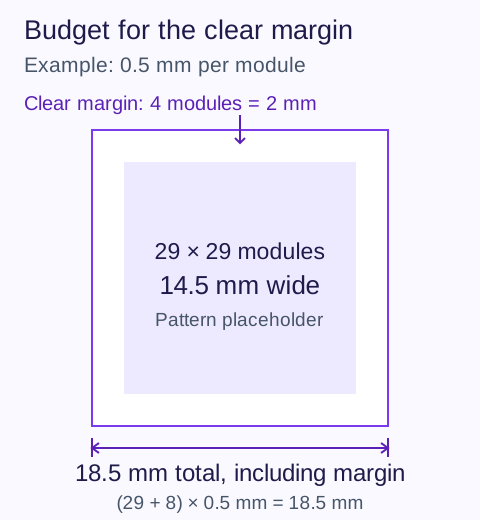
Reserve a quiet zone at least four modules wide on every side, following DENSO WAVE's QR code margin guidance. A module is one small square in the pattern. Keep text, borders, artwork and cut lines out of that clear margin; it is part of the space the code needs, not spare room for decoration.
For example, a 29-module pattern printed with 0.5 mm modules needs 14.5 mm for the pattern plus 2 mm of quiet zone on each side: 18.5 mm overall. This is a sizing calculation, not a guaranteed minimum for your package. Confirm the actual pattern and print proof with your printer.
The calculation is (pattern width in modules + 8) × module width = total printed width for a standard QR with a four-module margin on both sides. Measure the exported pattern rather than assuming that every QR has 29 modules. If the export already includes the quiet zone, include it in the total footprint instead of counting that same margin twice.
Ask the printer how the module width maps to its print resolution. DENSO WAVE's module-size guidance explains why printer resolution and the scanner's reading capability both matter. A size that works in an artwork preview is still a candidate for testing on the finished package.
For other print sizes and scanning distances, use the QR size guide. Keep the package-specific proof below as your final check.
Choose contrast, materials and placement for the finished package
A clear QR on a flat design file can become difficult to scan when printed over a fold, wrapped around a narrow jar or covered by reflective film. Choose placement based on the finished object.
- Use a flat, visible area away from seams, folds and tear lines.
- Use dark modules on a light, solid background. Avoid low-contrast brand colors and artwork behind the pattern.
- On transparent or metallic packaging, use an opaque light panel so the contents or reflections do not become the background. Test the package when filled.
- Check whether gloss, foil, curves or protective wrapping cause glare or distort the pattern. An insert or a flatter label area may work better than wrapping the code around a narrow container.
- Put a short instruction beside the QR and a readable contact or URL fallback where practical.
- Test a physical sample at a comfortable distance with more than one phone.
Do not assume a size or decorative finish will work just because another package uses it. Ask your printer for a proof and scan the version a customer will receive. Preserve square proportions and sharp module edges when exporting the artwork; do not stretch a screenshot to fill the label.
Test before printing the full run
Test the assembled, filled package with its final coating or wrapping, not just a QR displayed on your monitor. Try more than one phone camera in the lighting and at the angles customers are likely to encounter. Check the first scan while signed out of QRown, then follow every promised instruction, support or shop link.
Use the following repeatable method for your own proof. It is a test plan, not a claim that QRown has tested your packaging material or a universal minimum QR size.
- Identify the proof. Record the product/version, QR title, destination, print width including the quiet zone, material, finish and artwork revision. Keep a photo of the assembled sample.
- Choose realistic conditions. List the phones, lighting, distance and angle you will test. Include the surface condition customers receive, such as a filled bottle behind its final wrap. Measure the distance so a second tester can repeat it.
- Separate recognition from page loading. Record whether the camera recognizes the code, whether the link opens, and whether the correct instructions appear. A network failure needs a different fix from glare or a distorted pattern.
- Repeat each condition. Choose and record a fixed number of attempts for every condition. Close the camera between attempts. Note failures and any need to move closer, flatten the package or change the light; do not count those adjustments as an effortless scan.
- Change one failing variable and retest. Try a larger code, a flatter location or a different finish as appropriate. Record the revision and repeat the same conditions before approving the print run.
What to record for each test condition
| Field | Record |
|---|---|
| Proof | Product/version, artwork revision, QR title and destination |
| Physical setup | Printed width including margin, surface, finish and placement |
| Scan condition | Phone/camera, lighting, measured distance and angle |
| Recognition | Successful recognitions out of total attempts; adjustments needed |
| Destination | Page opened, correct product instructions, working support/shop links |
| Decision | Accept or revise, reason, tester and test date |
Keep the individual conditions visible: combining easy and difficult scans into one success percentage can hide a failing placement. For this proof, treat a wrong destination or a condition that repeatedly fails as a reason to revise. A successful small sample does not guarantee that every phone or future print batch will work.
Common mistakes include trimming away the quiet zone, placing the code across a fold, shrinking a dense pattern to fit leftover space, and redirecting old packaging to the wrong product version. Fix the failing condition and repeat the physical test before approving production.
For help deciding whether a failure comes from recognition, the destination or the promised action, follow the QR pre-print troubleshooting checklist.
Measure interest without confusing it with purchases
If you want to compare products or packaging versions, use a different QR identity for each source you intend to measure. The same code on every box gives a combined scan total. It cannot identify which individual box a customer used.
Where your plan includes source breakdowns, use QRown Statistics to compare QR sources and review recorded activity on the profile. Look for whether buyers find the intended help or contact action. A scan is not evidence of a unique buyer, a resolved support issue or a repeat purchase; check those outcomes in your support and sales records.
Statistics cannot replace the proof log: a camera attempt that never opens the link has no scan request to count. Owner self-tests may also be suppressed. Log readability tests separately from campaign reporting.
If you add an enquiry form, ask only for information useful to the response. Form fields and submission visibility depend on plan. This provides a route for a customer to contact you, rather than assuming you can identify everyone who scans.
A final check before production
- Confirm that the printed promise matches the first useful action on the page.
- Check code size, the four-module quiet zone and contrast on the final artwork.
- Test the finished packaging sample on several phones at realistic distances and angles.
- Open every instruction, shop and support link on a phone.
- Check that customers can access the profile while signed out.
- Decide who will maintain the destination while this packaging remains in use.
- Record which QR source belongs to each packaging version before comparing scans.
For measurement, read how to compare QR sources. For more placements, explore QR marketing ideas.