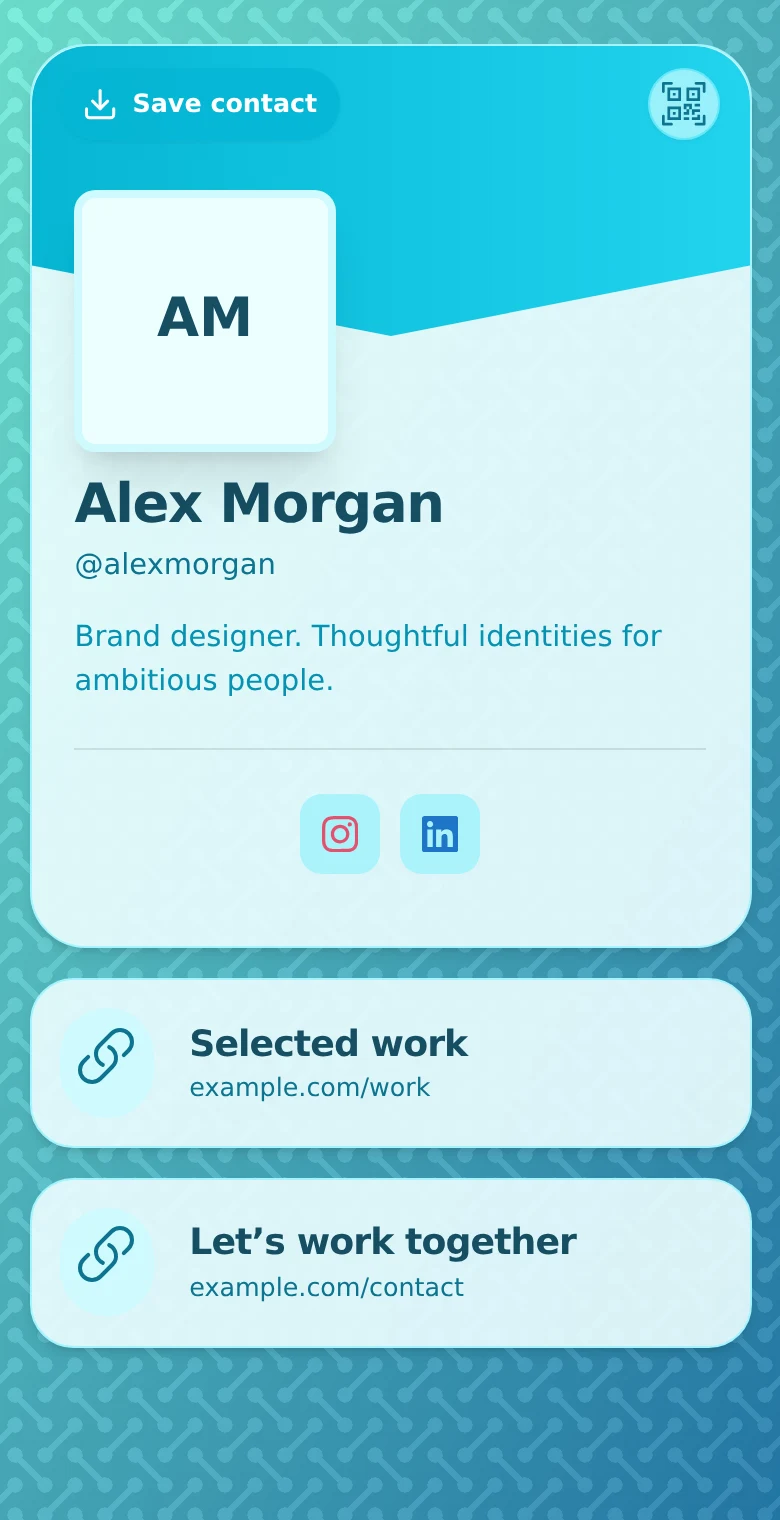
Someone meets you, notices your storefront or sees your work. They are interested, but their next step is scattered across a phone number, a social account and a website. QRown gives that interest one place to continue.
QRown is a digital profile builder with QR sharing, contact downloads, lead forms and engagement Statistics. It helps professionals and businesses present useful information, make contact easier and follow up when someone chooses to enquire.
A profile built around what your customer needs
Your profile combines an identity with blocks for contact details and content. Start with your name, what you do and the action a visitor is most likely to need. Depending on your plan, you can add links, text, location, availability, galleries, lead forms and other business information.
A consultant might link to a case study and invite a project enquiry. A local service business might prioritize its phone, hours and location. A creator might show selected work and a business-contact route. Layouts, colors and imagery help the page look like the business people already recognize.
The point is a useful destination, not a page filled with every available feature. Your existing website, shop or booking provider can still do the specialist work behind the links.
Use one profile online and in print
Share the profile's handle-based link in a message, email signature or social bio. Show its QR on your phone, add a downloaded QR to artwork, or use Print Studio for supported products such as business cards.
The main QR always opens the profile. Update the page's contact details or links, and future visitors through that printed code see the current page. Additional and Print Studio QR codes can also have editable external destinations. Code counts, customization and other options vary by plan.
Information already printed on paper does not change. Keep important text accurate and test a physical proof before distributing it. The digital business card guide explains how the printed and digital parts work together.
Make it easier to contact you and keep your details
Contact actions can open a phone or email app. A link can send someone to your portfolio, menu or external appointment service. Visitors can also use Save contact to download a vCard and import your details into their address book.
Public profiles open in the browser without a QRown account. The page needs an internet connection, and saving a contact may require confirmation on the recipient's phone. Previously saved contacts do not automatically update when you edit your profile.
Turn a question into an enquiry you can work with
A lead form lets visitors choose to share their contact details. Submitted enquiries appear in the Leads Inbox, where you can review them, add notes and maintain their status. Available fields, submission visibility, exports and email features depend on plan.
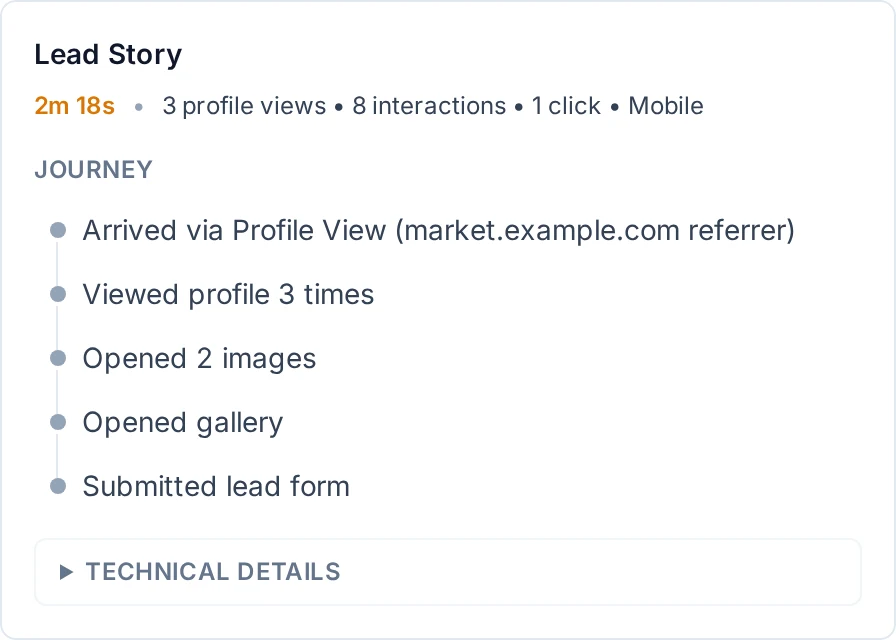
Where recorded context is available, Lead Story can help explain the source and activity associated with an enquiry. It is not a complete history of everyone visiting your profile. Reply actions open your email app where available; you send the message and manage the follow-up.
Learn from recorded engagement
Statistics shows QRown's recorded profile views, QR scans and interactions, including contact-card downloads. Use it to investigate whether people use your printed materials or find the actions on your profile. These signals help you choose what to improve; they do not prove sales or identify every visitor.
Analytics is separate. Business supports Google Analytics 4 and Microsoft Clarity connections for provider-specific reporting. You can start with QRown Statistics and add an integration when you have a question it can help answer.
Use QRown on your own or with a team
For an independent professional, one focused profile may be enough. If you manage several roles or audiences, profile allowances vary by plan. Team workspaces are also supported on Business, with membership and permissions for shared work. Check the team features and plan comparison for the setup you need.
QRown connects introductions, information and enquiries. Bookings, purchases and email conversations still happen in the relevant tools you link or open. Keeping those roles clear helps you choose a practical setup.
For a hands-on use case, see a storefront QR workflow or a freelancer's path from work to enquiry.