Your reputation. Part of your introduction.
Give visitors a little more confidence before they get in touch. Bring your Google rating and reviews onto the same profile as your services, work, and contact details.
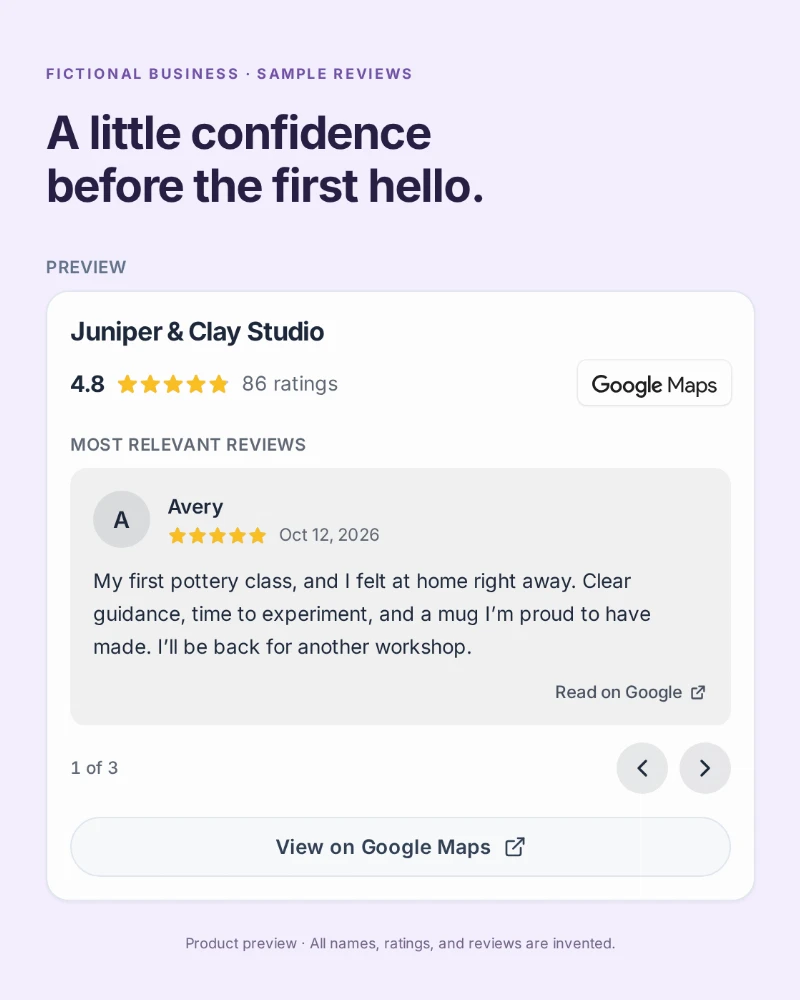
Let customers add their perspective
Your work shows what you do. Reviews share the experience.
Someone has found your profile. They can see your services and browse your portfolio. Reviews gives them another piece of the picture: what customers have said about your business on Google.
Connect the right Google Maps listing once, then choose how much to show. Visitors can read the available review cards without leaving your profile, or follow the link to your business on Google Maps.
A familiar source, beside your work.
- A clear summary. Your business name, star rating, and total number of ratings appear together.
- Customer context. Review cards include the reviewer’s name, rating, date, and review text when available.
- Room to explore. Visitors swipe or use the arrows at their own pace. Longer reviews can be expanded.
- A link to the source. Google Maps attribution and source links keep the origin of the reviews clear.
Make it yours
A few steps. A better introduction.
-
Find your business
Add a Reviews block in your profile editor. Search for your business or paste its Google Maps link, then select the correct listing.
-
Choose your display
Keep Rating and reviews to include review cards, or choose Rating only for a compact summary. Check the preview before saving.
-
Make it part of your profile
Keep Show on profile enabled and save. Share your profile link or QR code so visitors can explore your work and reviews together.
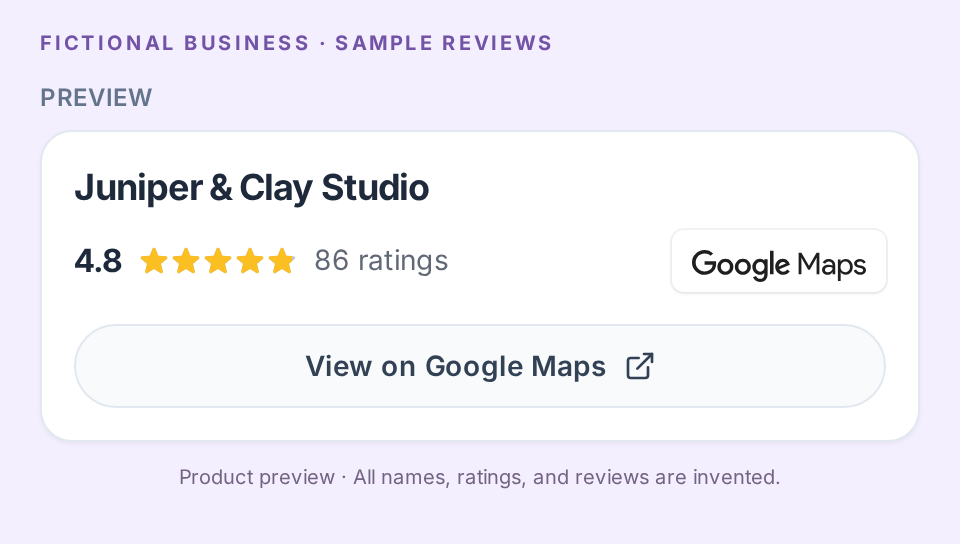
Two ways to tell the story
A quick signal or a closer look.
- Rating and reviews
- The default display adds up to five reviews supplied by Google, ordered by relevance. Visitors move through the cards themselves; they do not autoplay.
- Rating only
- Show your rating and the number of people who rated you, with a link to Google Maps. A compact option when you want more room for services or portfolio images.
You can change the display later, or turn off Show on profile to hide the block while keeping your selected business.
Included on paid plans
One business listing. Both display options.
Starter, Plus, and Business each include one Reviews block per profile, with rating-only and review-card displays. Reviews is not included on Free.
Compare plans →Questions about Reviews
Which review platforms can I connect?
Google is currently supported. Choose your business listing through search or a Google Maps link.
Can I choose or edit the reviews that appear?
Google supplies up to five reviews ordered by relevance. QRown does not let you handpick, rewrite, or add reviews to this block. The cards may not include every review or the newest reviews.
Can visitors leave a review directly on my QRown profile?
This block displays your Google rating and reviews. It does not collect new reviews in QRown. Visitors can use the Google Maps link to continue to your business listing.
What if reviews cannot load?
The link to your business on Google Maps remains available, so visitors can still go to the source. The information displayed depends on what Google makes available.
What happens if I downgrade to Free?
The Reviews block is hidden from your public profile and stops loading review data. Your selected business and display settings remain saved.
Questions about your account, profiles, or billing? Visit the general FAQ.
Bring your reputation into the conversation.
Build your business profile, then connect your Google listing on Starter, Plus, or Business. Give visitors your work, your reviews, and a way to get in touch.