The viewing ends. The conversation doesn’t.
Give buyers and sellers one place to find you again. Bring your contact details, property links, and enquiries together in a QRown profile you can share at every introduction.

Stay within reach
They remember the home.
Make it easy to find the agent.
A property link in one message. Your number on a card. A question in a social inbox. Bring the next step together, so someone you meet can explore your links, save your details, or get in touch from the same profile.
01 · Your agent profile
Your name. Your expertise.
Your next connection.
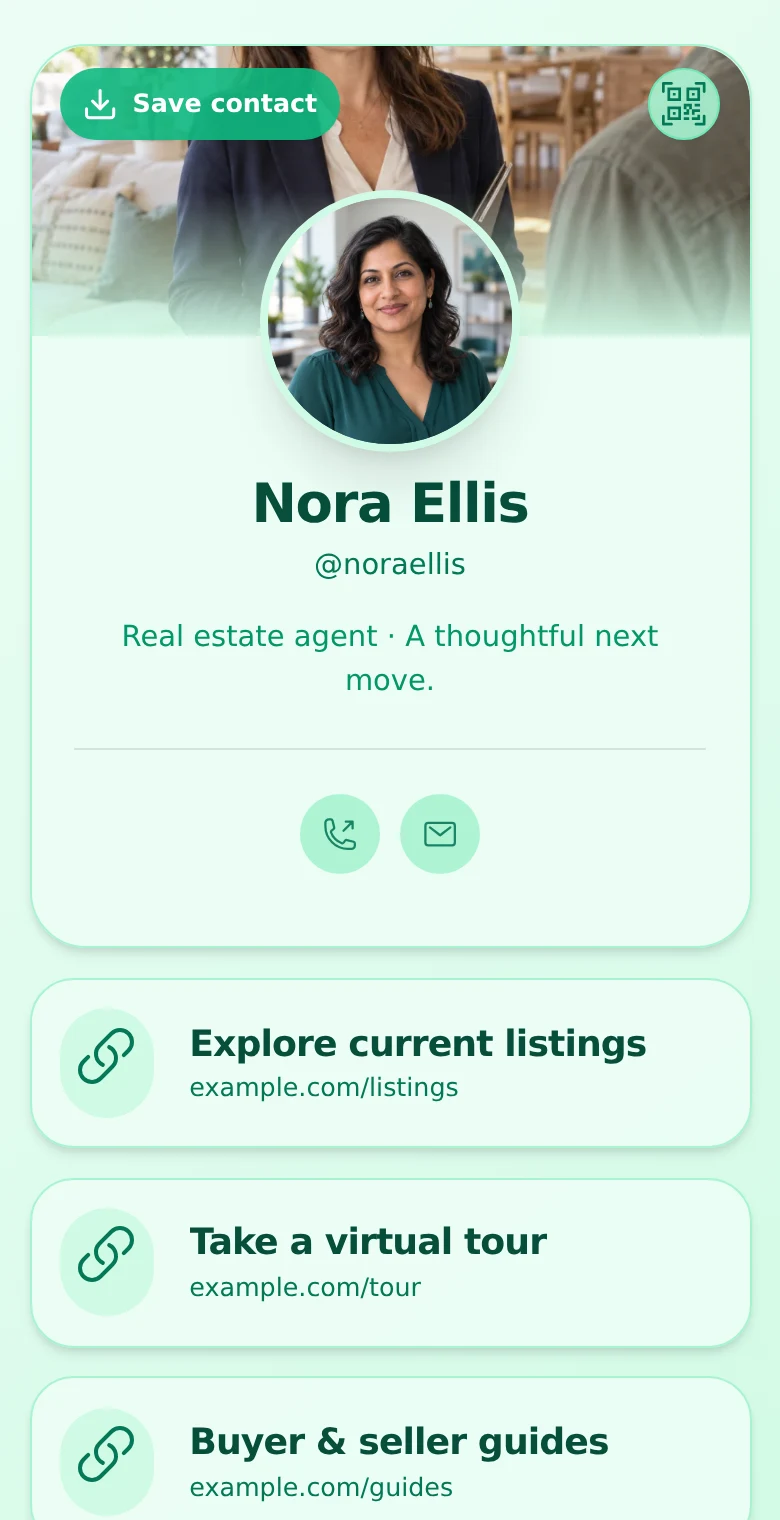
Introduce yourself with a photo and a short headline. Then give buyers and sellers clear ways to take the next step.
-
Put the right properties within reach.
Link to current listings, virtual tours, your brokerage website, or a buyer’s guide. Change those links as your focus changes.
-
Make contacting you straightforward.
Add phone and email actions. Visitors can download your contact card to save your details on their device.
-
Give your profile your own look.
Start with your profile photo. Paid plans add cover images, galleries, and more design options to help you present your work.
You manage your links and images. Listing information stays on the websites you link to; QRown does not import an MLS or IDX feed.
Explore profile content blocks →02 · In person and online
One profile.
Every way you meet.
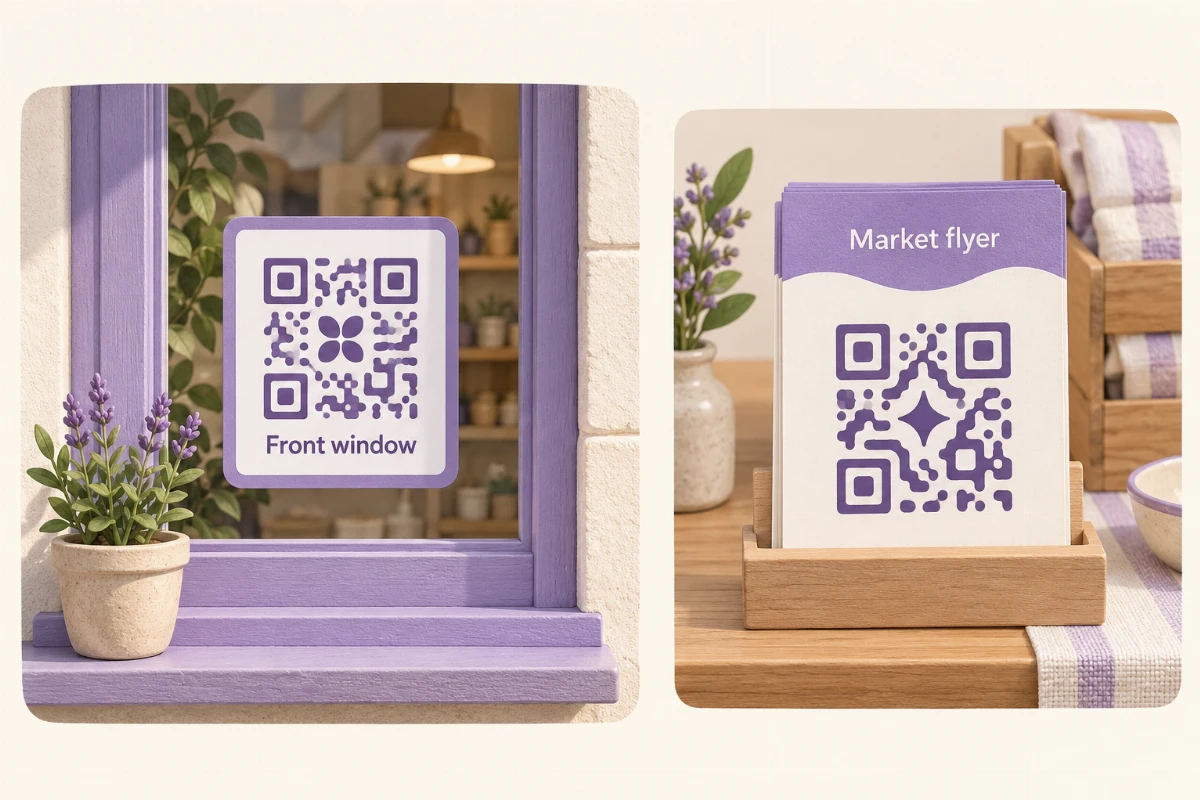
Place your profile QR code on a business card, a property flyer, or an open-house welcome sign. Share the same profile link in your social bio and email signature.
When a listing changes, update the links on your profile. An active profile QR code still leads to that profile, so you can refresh what visitors see without replacing the code.
Printed wording stays as printed. Keep your profile accessible and test the final QR artwork on a phone before printing.
Explore QR sharing and contact cards →
At an open house
Give visitors a way to return to your profile after they leave.
After a referral
Send one link with your introduction, contact details, and useful destinations.
Between listings
Keep your professional profile in place while you refresh the properties you link to.
03 · Keep the conversation going
Give “we’re interested”
a place to go.
Add a form to your profile so a buyer or seller can leave their details without creating a QRown account. On paid plans, add a message field for their question and a phone field for a callback.
Review submissions in Leads Inbox, keep follow-up notes, and update their status as you respond. Paid plans also let you export accessible leads to CSV.

Follow up with the tools you use.
Continue the conversation by phone or email. If you use an appointment scheduler, add its link to your profile; booking takes place on that service.
See forms and Leads Inbox →See how your profile is being used.
Use Statistics to review profile views and QR scans. Paid plans add more breakdowns and action reporting. These are engagement signals, not a record of property sales or the identity of every visitor.
Explore Statistics →Build your starting point
Ready for your next introduction.
-
1. Introduce yourself.
Create your account, choose an available handle, and add your name, photo, and professional headline.
-
2. Choose the next steps.
Add contact details, useful property links, and a form. Check the profile on your phone.
-
3. Put it where people meet you.
Share your profile link online and download your QR code for your printed materials.
Start with Free.
Build out when you’re ready.
Free includes 5 links, phone and email contact blocks, a profile QR code, and a form with email and optional name. View your newest 10 submissions across the profiles you can access.
Starter, Plus, and Business add galleries, more design options, message and phone form fields, and lead exports. Compare plans to choose the profile allowance and Statistics history you need.
See current plans and limits →Working with other agents? Explore Business team workspaces.
Questions from real estate agents
Do I need to replace my brokerage website?
No. Your QRown profile can link to your brokerage site, property listings, virtual tours, and other pages you already use. It gives people a straightforward place to find those destinations and your contact details.
Will my listings update automatically?
No. You add and update links and gallery images yourself. QRown does not provide MLS or IDX syncing, listing management, or automatic property availability updates.
Can I use a QR code at an open house?
Yes. Download your profile QR code and add it to your own sign, flyer, or business card artwork. Keep the profile accessible and test the code at its final printed size. Updating the profile content does not require changing an active profile QR code.
Can buyers request a viewing through my profile?
They can send an enquiry through a form. Message and phone fields are available on paid plans. Arrange the viewing in your follow-up, or link to your existing scheduling service. QRown does not manage appointment availability or confirm bookings.
Can I move enquiries into my CRM?
Starter, Plus, and Business let you export accessible leads to CSV. You can then use your CRM’s import tools if they support that format. QRown does not automatically sync those contacts to your CRM.
Do visitors need an app or a QRown account?
No. An accessible profile opens in their browser. Visitors can follow your links, use your contact actions, download your contact card, and send an enquiry without a QRown account. Their device may ask them to confirm saving the contact.
Questions about your account, profiles, or billing? Visit the general FAQ.
Make your first share count
A little preparation. A better handoff.
-
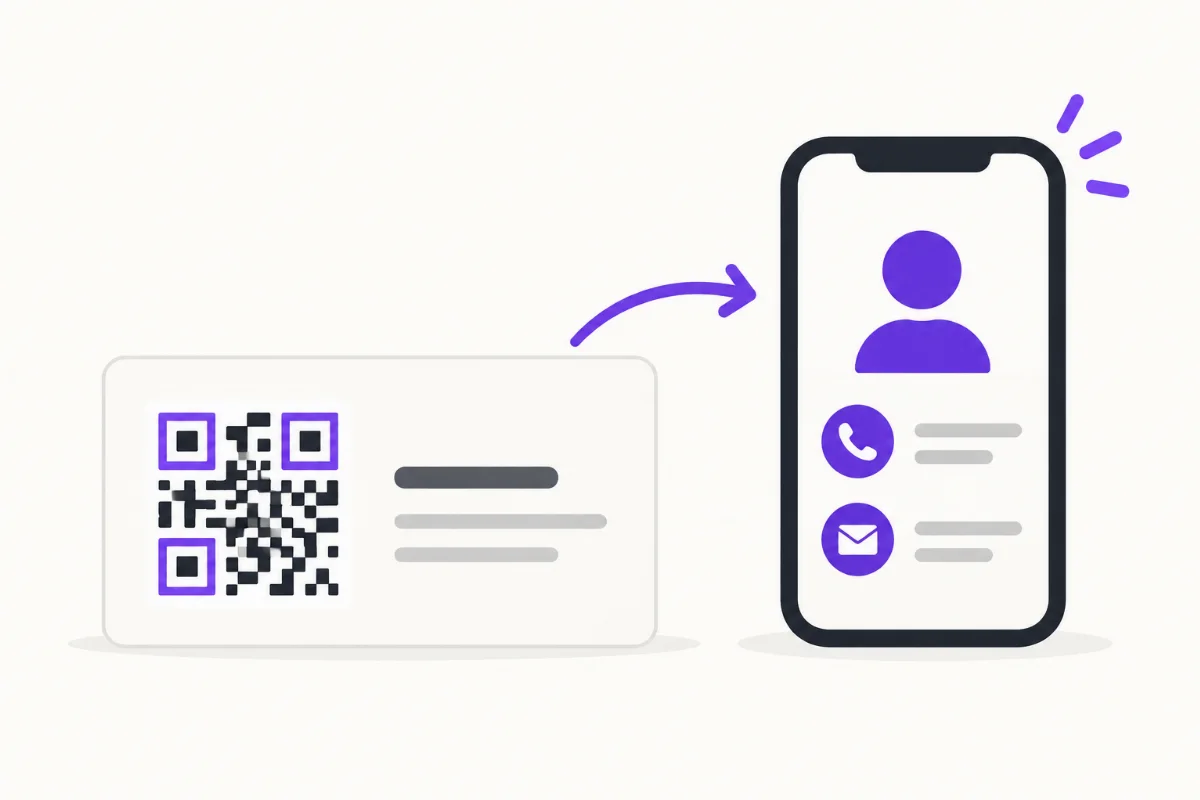
What Should Be on a Digital Business Card?
Choose a clear identity, useful contact details and a focused next step, with practical examples and a checklist for your first screen.
-
How to Put a QR Code on a Business Card
Choose a destination, place and test your business-card QR, then track card scans separately from other sources without confusing activity with new leads.
-
How to Track QR Code Scans: Counts, Sources and Limits
Learn how to track QR code scans, compare static and dynamic codes, and interpret scan counts. Test QRown Statistics and understand how website analytics differs.
Give your next introduction somewhere to lead.
Your details, your property links, and a way to get in touch. Create an agent profile you can keep sharing as your business grows.