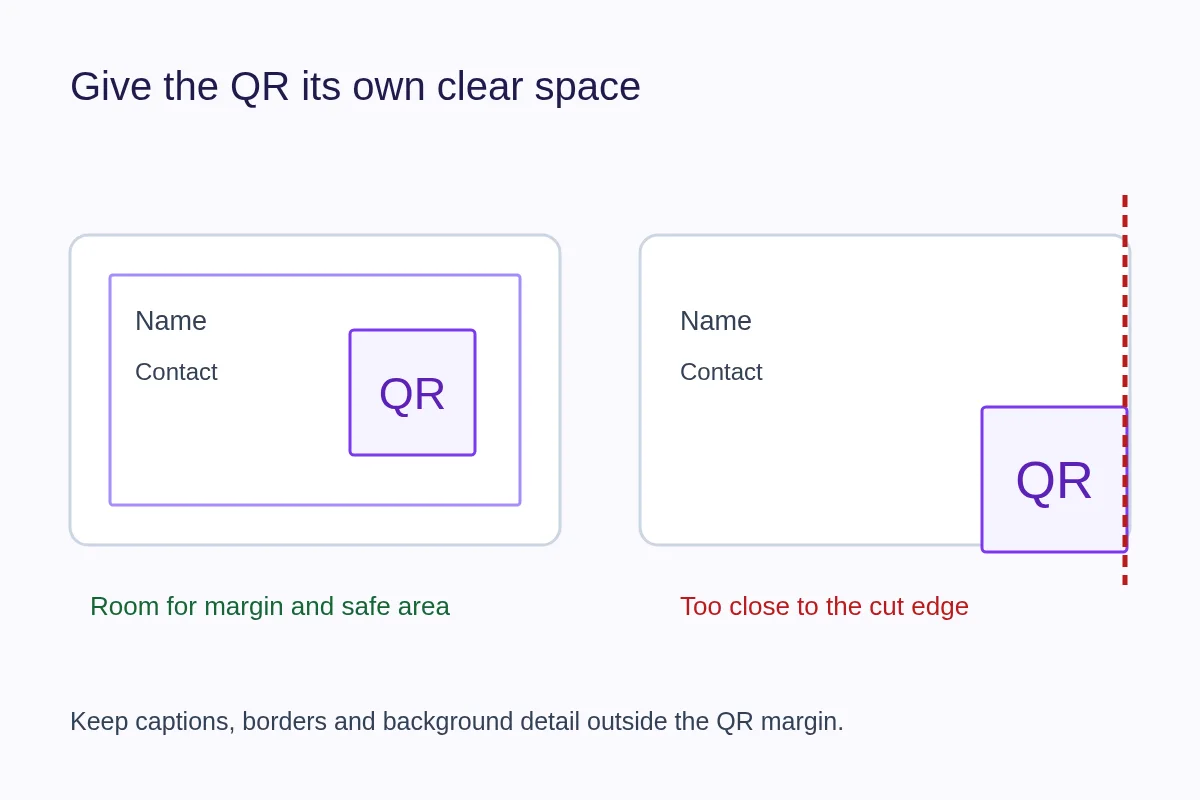
Put the QR code on a flat, uncluttered part of the card, away from trimming and rounded corners. Keep its full empty margin and place a short explanation nearby. Front or back can work; choose the side people will notice and can hold steadily.
Front or back?
The front makes the QR visible during a handoff. It works when your name, role and contact details still have comfortable space. Do not shrink the code to squeeze it beside every social handle.
The back can give the code and its invitation a dedicated area. This suits a minimal front or a card with a strong visual identity. Make the back useful on its own with a recognizable name or a clear purpose. If the recipient never turns the card over, a beautiful reverse-side code does little.
Keep two different margins in mind
The QR quiet zone is the blank border surrounding the pattern. The printer's safe area keeps important artwork away from cuts, corner rounding and manufacturing variation. Preserve both. Bleed is artwork extending beyond the trim; it is not a place for part of the code.
Follow the printer's exact template for the selected product. A standard QR Code requires at least four modules of clear margin on all sides, as described in DENSO WAVE's guidance. A decorative border, caption or background texture must stay outside that space.
Landscape and portrait examples
On a landscape card, a dedicated area to one side can balance a short identity block. Leave enough space that fingers holding either edge do not cover the code. On a portrait card, a code below the main contact details can create a clear reading order without competing with the name.
Neither orientation is inherently more scannable. The decisive questions are whether the full pattern is visible, large enough for the use and printed clearly. Use the QR code size guide before finalizing the layout.
Give the code a reason to be there
Write an invitation that describes the destination: “Scan for my portfolio” or “Contact details and services.” Put it beside or beneath the code, not inside the empty margin. If the page opens a profile first, avoid promising that a scan instantly saves a contact.
One well-explained QR usually makes a card easier to use than several unlabeled codes. If you need multiple destinations, a focused profile can let the visitor choose. Keep a readable contact method for people who cannot scan.
Common placements to revise
- A code touching the trim line or extending into a rounded corner.
- A code over a busy photograph, metallic foil or textured artwork.
- A code squeezed between dense text and a logo with no clear border.
- A code positioned where a fold, embossing or holder covers the pattern.
- A reverse side with no explanation of whose page it opens.
Print the card at actual size and hold it as the recipient will. Ask someone unfamiliar with the design to find and scan the code without instructions. Then follow the full pre-print check. For the complete workflow, see how to put a QR code on a business card.