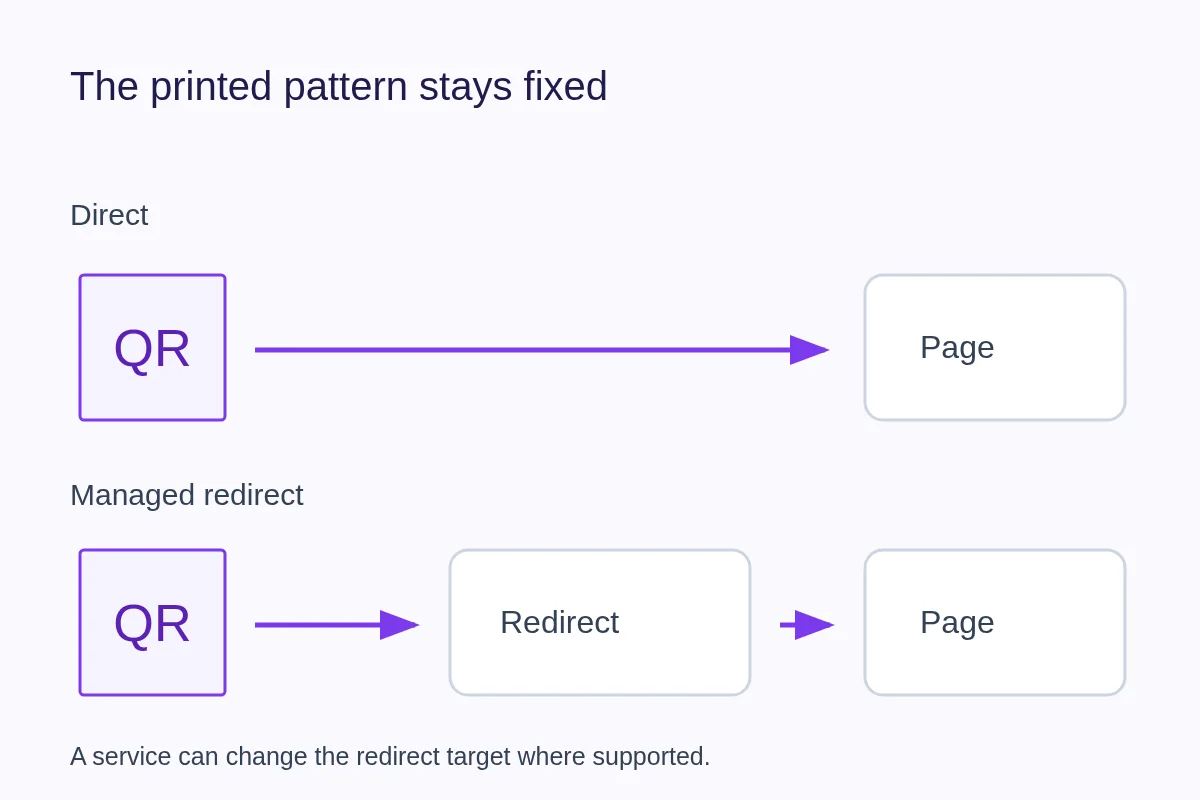
A static QR code contains the information you encoded, such as a website address. A “dynamic” QR code usually contains a stable redirect address managed by a service. The service can change where that address leads; the printed pattern itself stays the same.
What changes after printing?
If a static code contains your website URL, you can still update the content at that URL. You cannot rewrite the address stored in the printed pattern. If the page moves and you control the original site, a website redirect may keep the old link useful.
A managed redirect adds an intermediate step. The phone opens the redirect address, and the service sends it to the current destination. Changing the service's destination setting can update where future scans go without changing the printed image.
Compare the tradeoffs
| Question | Static/direct code | Managed redirect code |
|---|---|---|
| What is printed? | The encoded destination or data | A stable service address |
| Can the target address change? | Not in the printed pattern | Where the service and code type allow it |
| Where can activity be recorded? | At the website it opens | At the redirect and potentially at the destination |
| What must stay available? | The encoded destination, for web links | Both the redirect service and the destination |
Can static QR codes be tracked?
A static code containing a web address can lead to a measurable website visit. The site needs its own reporting, and an ordinary URL does not tell it whether the visitor came from a QR, a message or a bookmark. Campaign parameters can label that link for a compatible website reporting tool, but they do not prove someone used a camera.
A code containing contact details or plain text can be read without opening a website. There is no web request for a redirect service to count. Adding a reporting service later cannot recover scans that were never recorded.
What a managed redirect adds
The redirect can record which code's link was opened before sending the visitor onward. That makes separate code identities useful for comparing a card, flyer and sign, even when they all lead to the same page. Printing the same code in three places still gives you one source; changing its color does not create another identity.
A redirect scan and a destination visit measure different steps. A redirect can be requested even when the destination fails to load. Neither count identifies a unique person or confirms a sale. The QR scan-tracking guide explains the reporting workflow and how it differs from website analytics.
Choose based on the life of the material
For a card pointing to a stable page you control, a direct URL may be enough. For a long-lived sign that may need to point to different pages, an editable redirect can be useful. A campaign may also need separate code identities for different placements.
Before printing, check who controls the redirect account, whether editing or reporting depends on a paid plan, and what happens after cancellation or deletion. Avoid letting a temporary contractor's personal account become the only way to maintain a permanent sign.
How this applies to QRown
QRown QR links pass through a redirect that can record a scan. The main profile QR always opens its profile; it is not a freely editable external link. You can update that profile's content. Additional profile QR codes and Print Studio QR codes support editable destinations, with access and code allowances governed by plan.
Access rules and the code's lifecycle still matter. A retired QR leads to a no-longer-active page, and deleting a profile does not keep its printed codes working as a live profile. Keep the account and destination maintained for as long as the print is in circulation.
Compare QRown's QR sharing options with its Statistics reports before choosing a workflow. Destination editing and reporting are separate capabilities; check the access your plan includes.
Test the promise, not only the redirect
A card labeled “Save my contact” should continue leading to contact information after an update. Redirect flexibility is useful only if older print still makes sense. Keep a record of where each code is used and follow the print-test checklist before distribution.
For a first use, follow the business-card workflow. For multiple placements, use the small QR campaign plan to decide what to compare before printing.